MIRA
A smart practice assistant for gynaecology — from 11 interviews to a prioritised concept and a high-fidelity prototype.
- Role
- UX & Service Designer
- Team
- Marcia Perez, Sara Schramm, Paul Wipper
- Context
- Project module — HM Munich
- Tools
- Figma, Miro, Interviews, Service-design methods
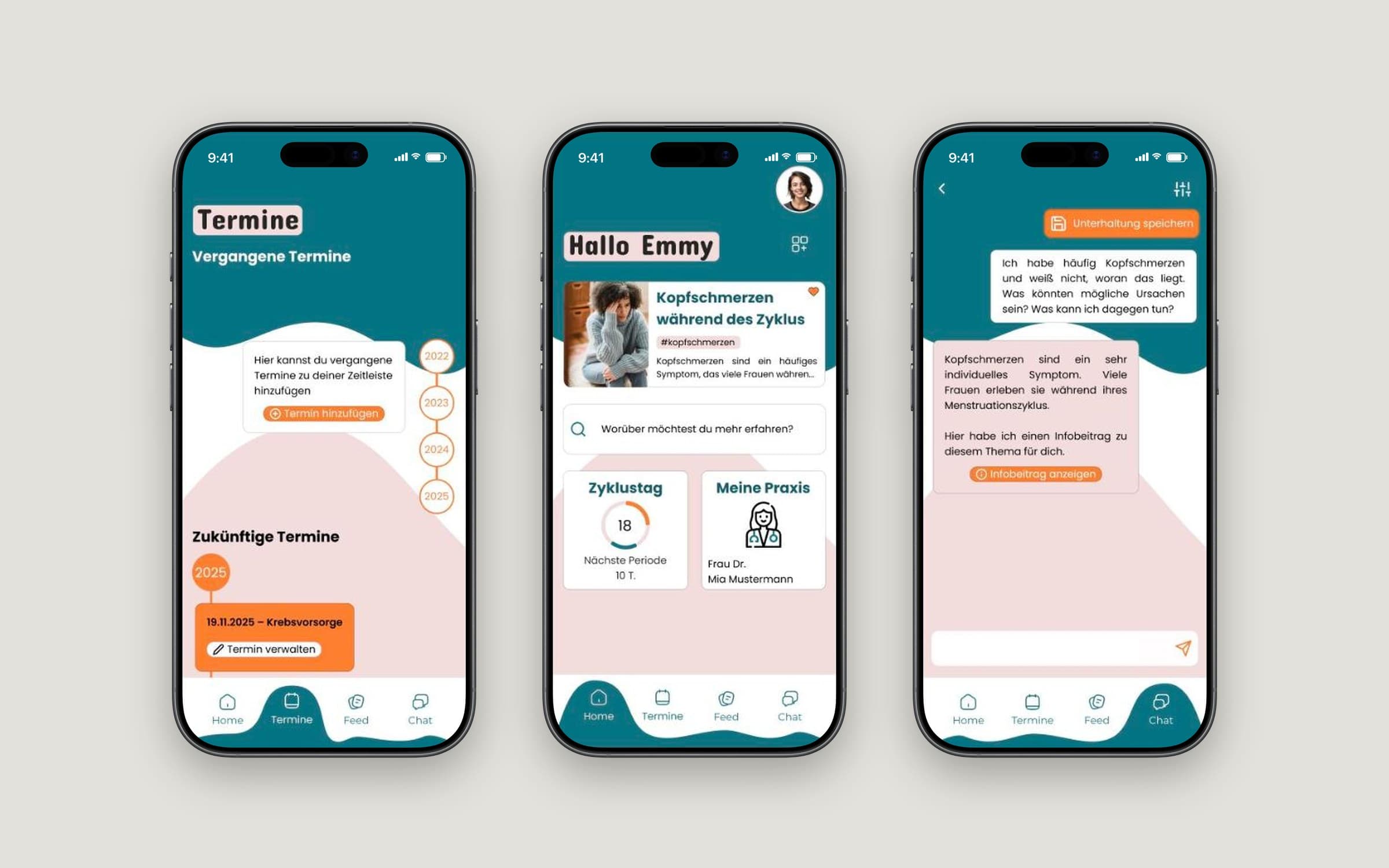
Gynaecological practices answer the same questions every day, while patients leave appointments unsure, nervous or uninformed. In a team of four we ran a full service-design process — 11 interviews, synthesis into 13 insights, How-Might-We framing, structured ideation and prioritisation — and turned it into MIRA, an app that accompanies patients before, during and after their visit.
Research
We started without a fixed solution — only a topic. A mind map and desk research on online booking and practice software gave us a first picture; the real input came from people.
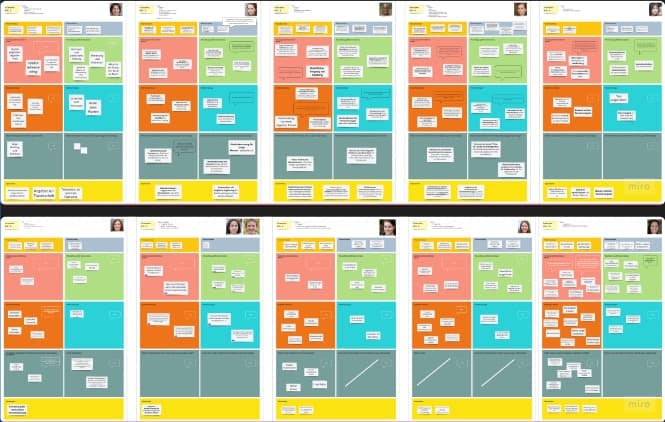
- 11 interviews with patients and people around them, plus community research to validate early feedback.
- Interviews gave us what desk research couldn't: emotions — nervousness before a first visit, embarrassment at reception, frustration about unanswered questions.
Synthesis: 13 insights
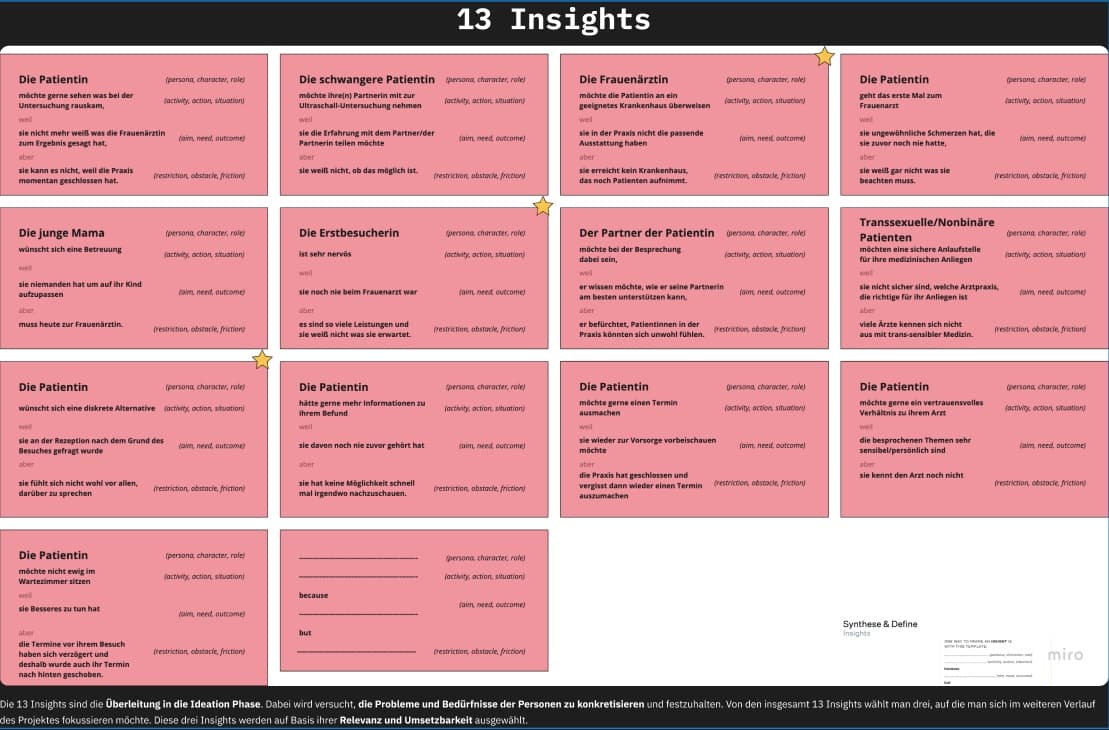
Every finding became an insight statement: who needs what, why, and what's in the way. For example: a first-time patient is very nervous because she's never been to a gynaecologist — but there are so many services that she doesn't know what to expect. We picked three insights by relevance and feasibility to focus on.
Framing the problem
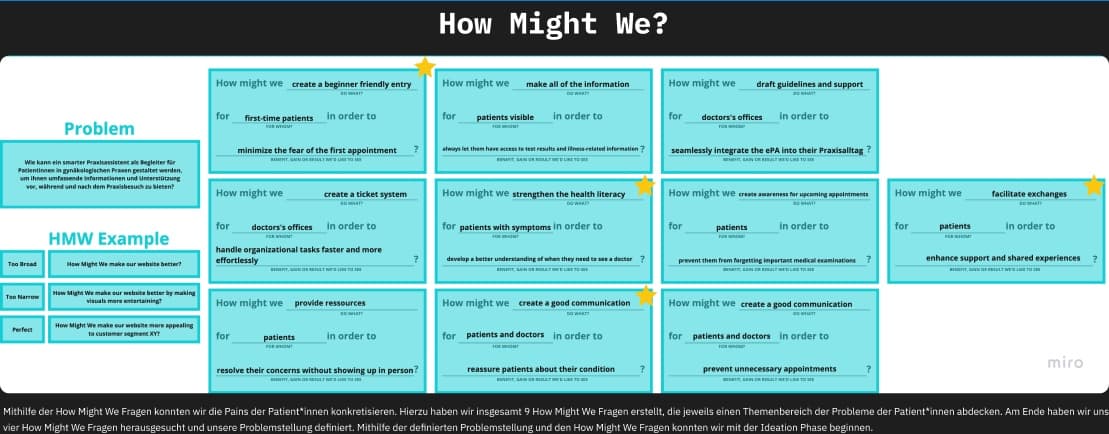
Our problem statement: How can a smart practice assistant support patients in gynaecological practices before, during and after their visit with comprehensive information? Nine How-Might-We questions sharpened it — from "create a beginner-friendly entry for first-time patients" to "strengthen health literacy for patients with symptoms". We chose four.
Ideation & prioritisation
We generated ideas with negative brainstorming and the 5 Whys, then sorted them on a How-Now-Wow matrix by difficulty and innovation, and checked the shortlist with a SWOT analysis.
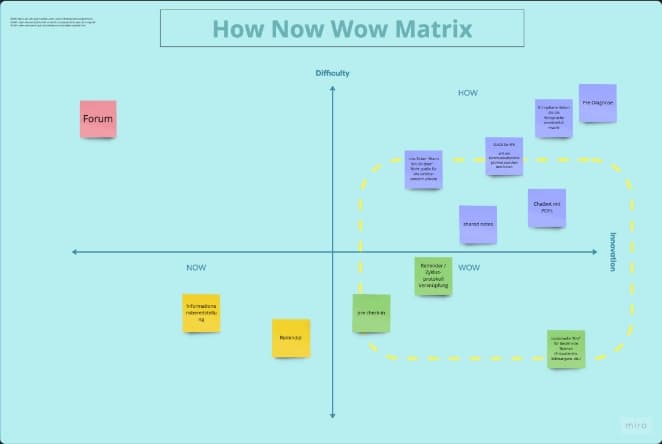
The result was a ranked feature list:
- Onboarding that asks a few questions about the patient
- Personalised feed based on those answers
- Kits per life phase — e.g. first visit, pregnancy, menopause
- Reminders · 5. Chatbot · 6. Pre-check-in · 7. Live tracking · 8. Shared notes
Prototype
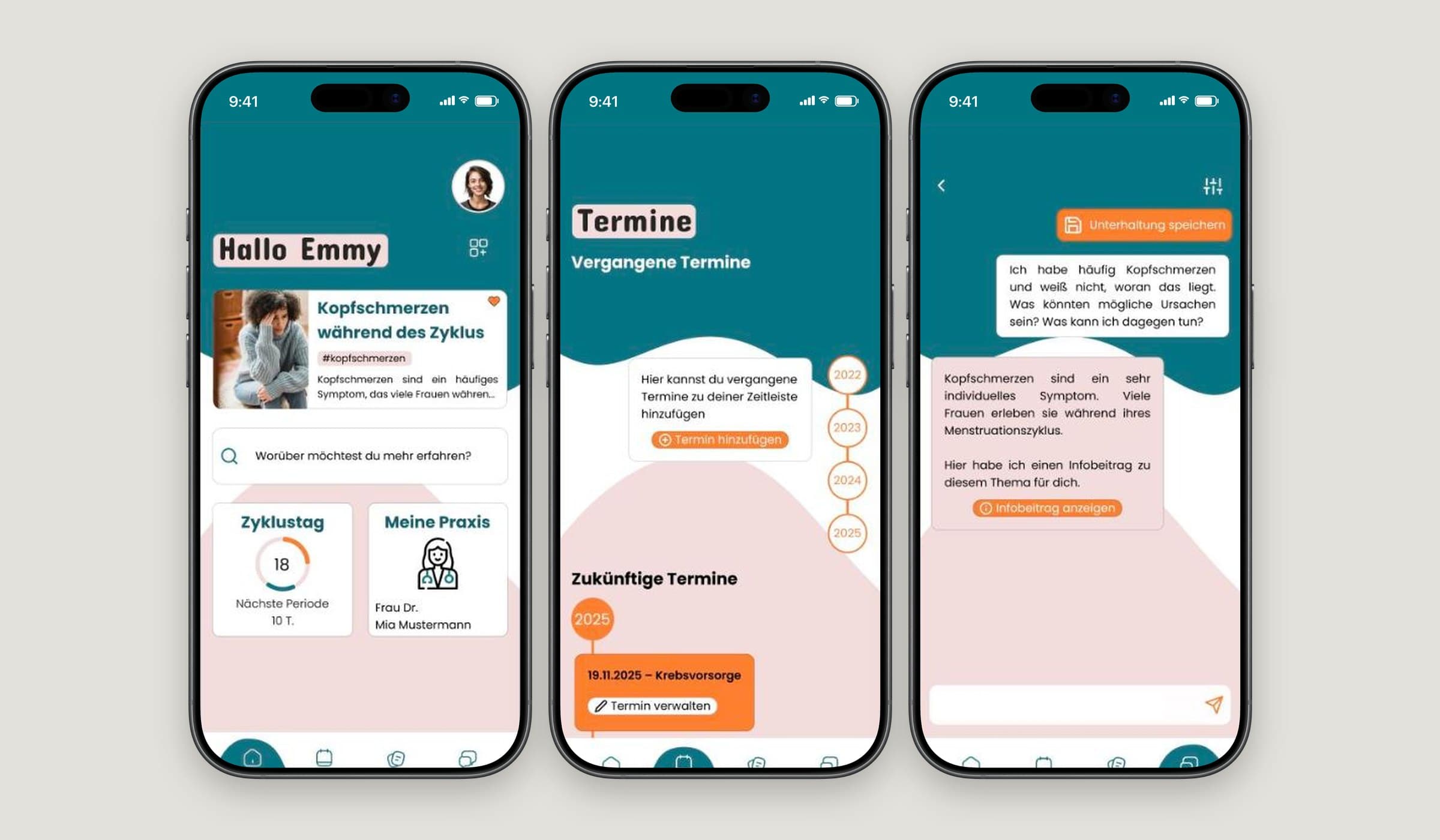
From low-fidelity wireframes and an onboarding prototype to mid- and high-fidelity content screens, we built a clickable prototype with around a hundred screens covering onboarding, feed, appointments and cycle tracking.
What I learned
The best idea in the room is rarely the right first feature. Writing insights in a strict format and prioritising with simple matrices kept four people aligned — and made it easy to explain why we built what we built.