Macintosh MR
A 1990 Macintosh Classic on your real desk — my first mixed-reality app, built in about 22 hours without ever having used Unity.
- Role
- Concept, Interaction Design & Build (solo)
- Team
- Solo, AI-assisted coding
- Context
- Mixed Reality practical, Munich University of Applied Sciences — Assignment 1
- Tools
- Unity 6, C#, Meta XR SDK, MR Utility Kit, Meta Quest 3
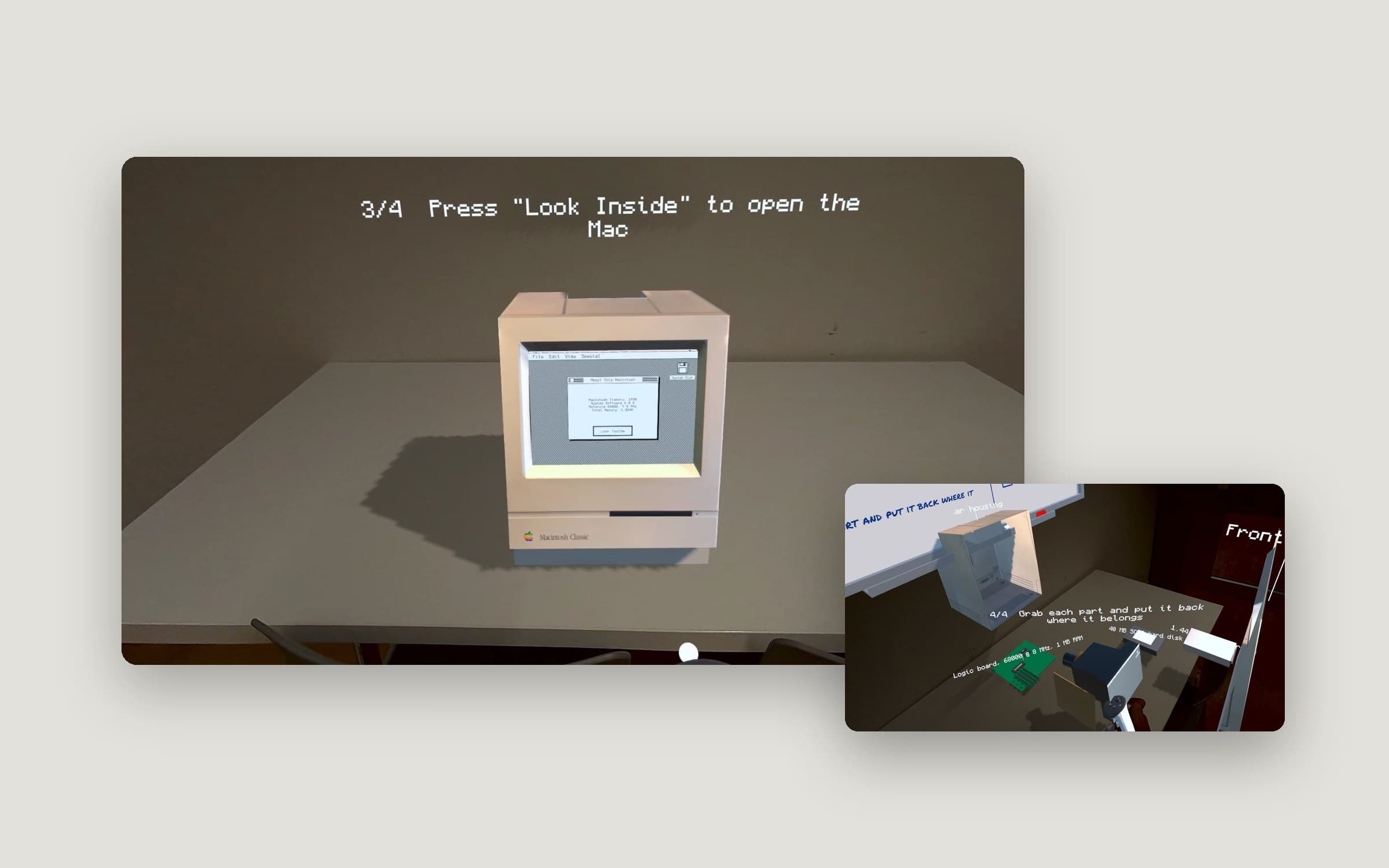
My first mixed-reality app, built for the Meta Quest 3 in a university practical. Through passthrough you see your own room; the app places a Macintosh Classic on the nearest real table and hangs a whiteboard on the wall above it. You switch the Mac on, insert a floppy, boot it, and then pull it apart into an exploded view — and rebuild it piece by piece. I had never used Unity or C# before: I owned the concept, the interaction flow and the testing, and directed an AI to write the code.
The brief
The assignment: build a first mixed-reality scene with passthrough — anchor a board to a wall, add information text and place an interactive object in the room. The core skills were passthrough, spatial anchoring, spawning prefabs and interaction.
I wanted the object to be worth interacting with. So I chose a machine I know well from nine years at Apple: the Macintosh Classic from 1990 — and turned "an interactive object" into a short, guided experience.
One place, four steps
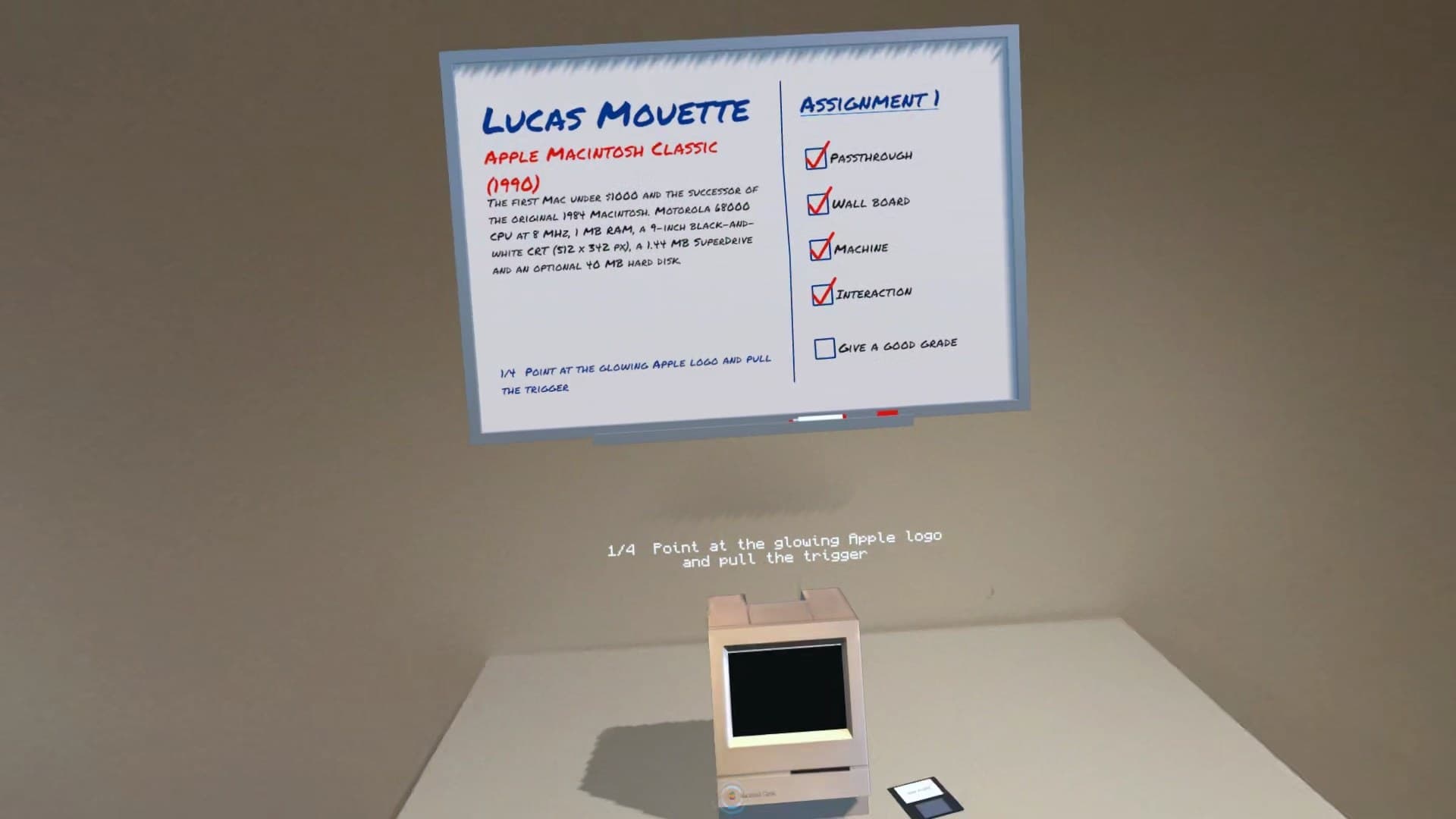
Both interactions happen in the same spot: the Mac stands on the nearest real table, the whiteboard with name, description and a checklist hangs on the wall directly above it. A floating hint always shows the current step.
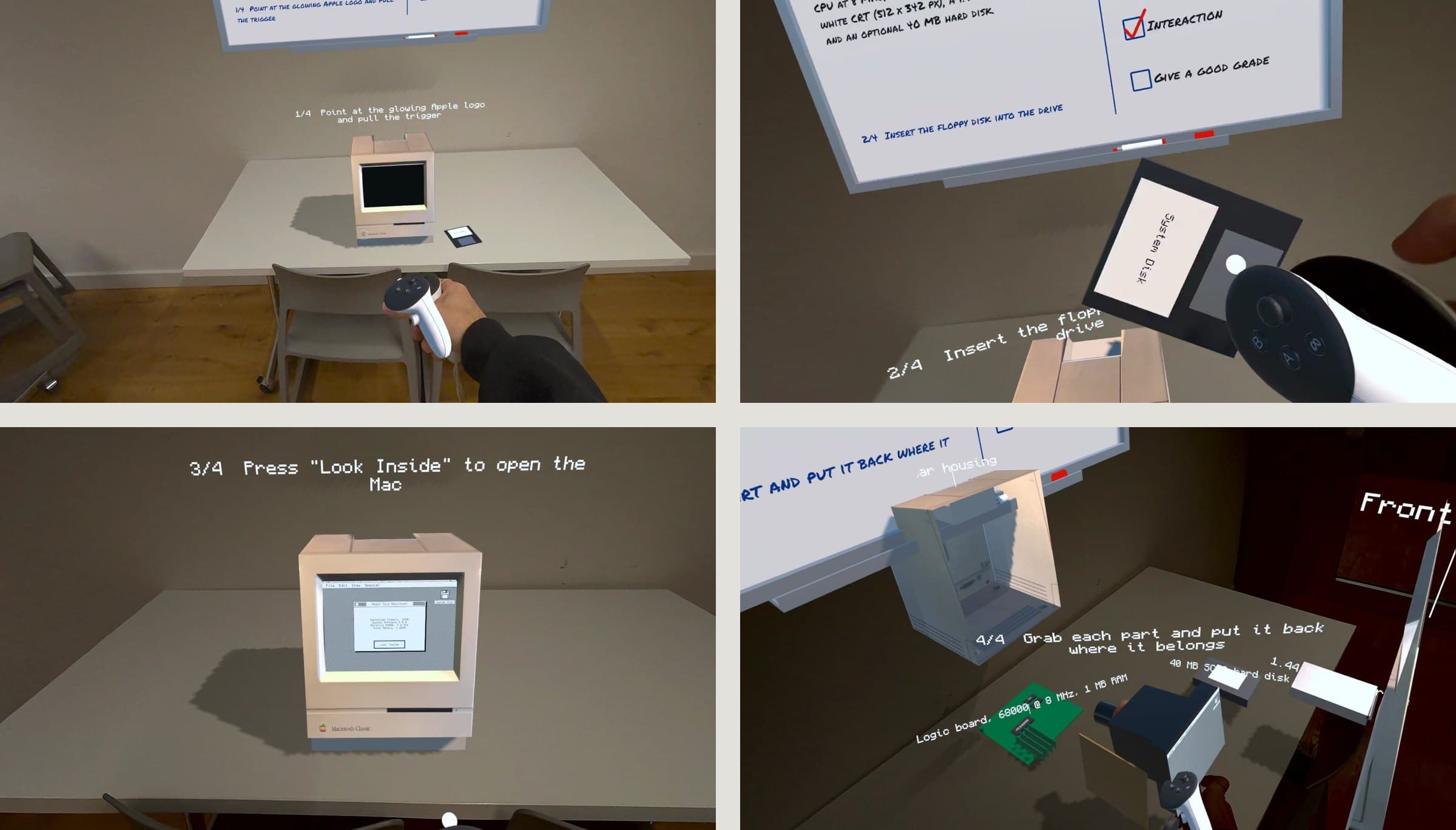
- Switch on — point the ray at the glowing Apple logo and pull the trigger.
- Insert the floppy — grab the disk and push it into the drive; the Mac boots.
- Look inside — click the System Disk icon on screen and choose "Look Inside".
- Take it apart, put it back — the Mac explodes into its parts. Every part you grab shows what it is (logic board with the 68000 CPU, SuperDrive, 40 MB hard disk, speaker). An outline shows where it belongs; once everything is back in place, the Mac restarts.
On the side: a red marker to write on the whiteboard — whose checklist lists the assignment goals, with one box left open: "Give a good grade".
Designing for rooms I can't see
A mixed-reality app runs in someone else's room. So the behaviour had to hold up when reality doesn't cooperate:
- No room scan? The Mac stands on a virtual pedestal and the board floats above it instead of failing.
- No wall near the table? The board falls back to the nearest wall.
- Guardian boundary in the way? While passthrough is active, the app hides it so you can walk around the Mac freely.
Testing in the real room changed the design
Everything looked right in the Meta XR Simulator. The first run on the Quest didn't: the Mac stood at an angle on a table far away, and the board floated in front of the wall. That led to the placement logic above — nearest table, board on the wall directly above it — and to larger on-screen buttons, because ray-pointing at a 1990-sized screen is harder than it looks.
How I worked
I had never used Unity or C#. I owned the concept and every idea in it — the Mac as the machine, the flow from power button to exploded view, the rebuild puzzle, the whiteboard and checklist, the fallbacks — and set up the scene with Meta's building blocks myself. The scripts, editor tools and shaders were written by an AI from my specifications; I tested every iteration in the simulator and on the Quest 3 and fed back bugs and changes until it behaved the way I wanted. Sounds and animations are generated in code; the 3D model is a CC BY 4.0 Macintosh Classic from Sketchfab that I scaled, split and extended with a screen, drive slot and internals.
What I learned
Directing an AI to build in an unfamiliar stack works — if you can describe precisely what "done" looks like and you test relentlessly. The hard part wasn't the code. It was the things only a real person in a real room notices.