MOIA
An interactive AI art installation that connects people instead of replacing them.
- Role
- Experience Designer & Web Developer
- Team
- Student team, AI project module
- Context
- University project — HM Munich
- Tools
- Python, TouchDesigner, Computer Vision, StreamDiffusion, Cloudflare Workers
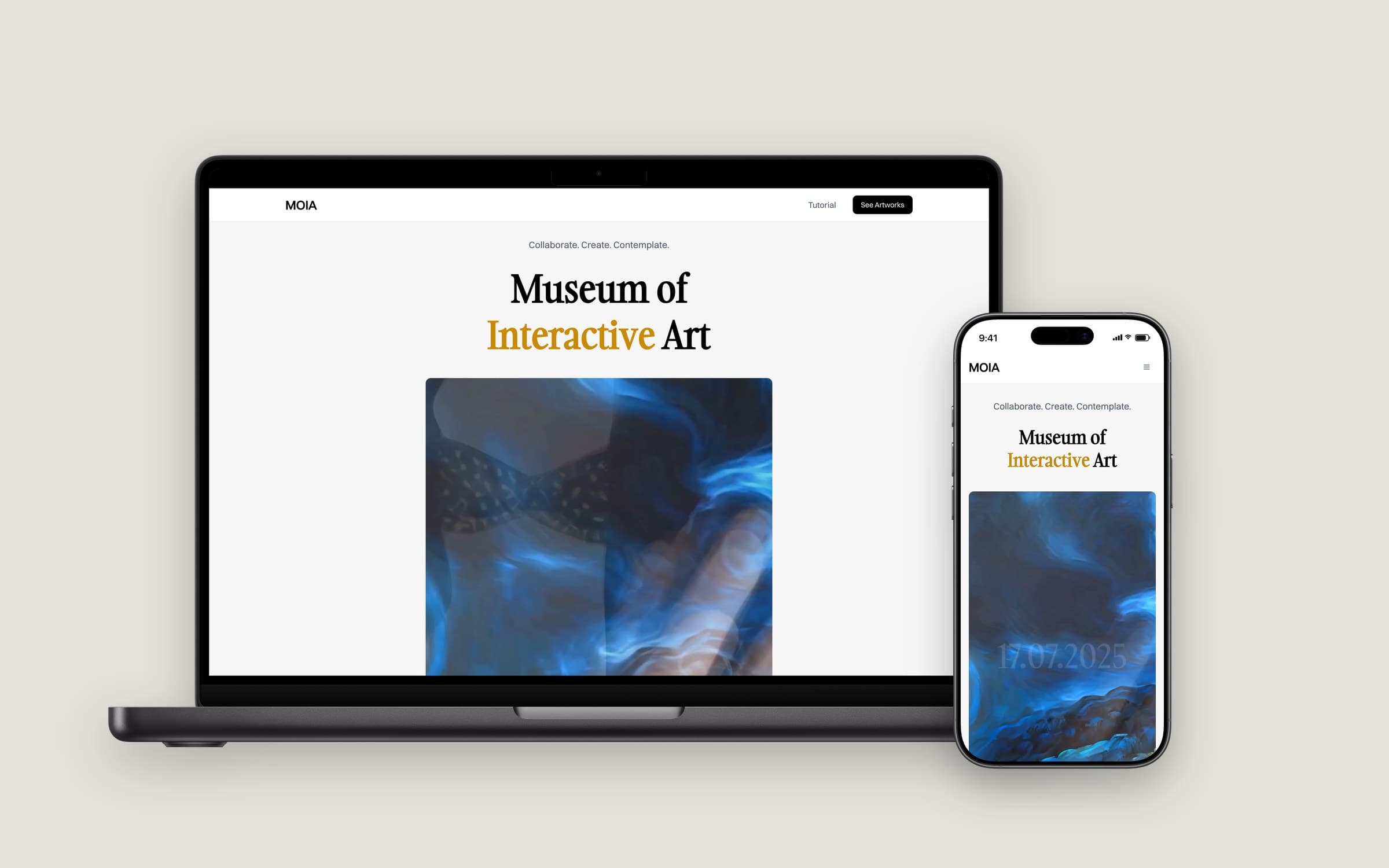
For the AI project module at HM Munich we built MOIA — the Museum of Interactive Art. Two visitors co-create an AI-generated artwork in real time: one steers the prompt with physical magnet sliders, the other shapes the composition with objects. I worked on the experience design and the web presence, and helped take it from a laptop prototype to a physical exhibition.
The question behind it
Most conversations about generative AI are about replacement — what it will do instead of people. Our team wanted to explore the opposite: can AI become a medium that makes strangers interact with each other?
The brief from the AI project module was open. We framed it as an experience problem rather than a model problem: the technology had to disappear behind something people would instantly understand and want to try.
How it works
Person A — the prompt
Moves magnets across physical sliders for artist style, colour and subject. Computer vision tracks the magnets and translates their positions into prompt values.
Person B — the composition
Places and moves physical objects on a surface. A real-time diffusion model (StreamDiffusion) turns the scene plus the prompt into the final image, shown live in a digital frame.
Afterwards, visitors scan a QR code to download their creation or find it later in the online museum.
My role
- Shaped the visitor journey — from approaching the installation to understanding what to do without instructions.
- Designed and built the digital museum website where visitors find and download their artworks.
- Helped scale the prototype into a physical installation, including building the wall, the platforms and the cabling.
From prototype to exhibition
We deliberately started small: one MacBook and two iPhones acting as cameras. That was enough to test the core loop — does movement translate into visuals that feel caused by you? — before investing in hardware.
Once the loop felt right, we scaled step by step:
- Validate the interaction with a laptop and phone cameras.
- Move to dedicated cameras, Python and TouchDesigner for real-time computer vision.
- Turn the controls into physical objects — magnet sliders and movable shapes — so nobody needs instructions.
- Close the loop for visitors: QR download and an online museum deployed on Cloudflare Workers.
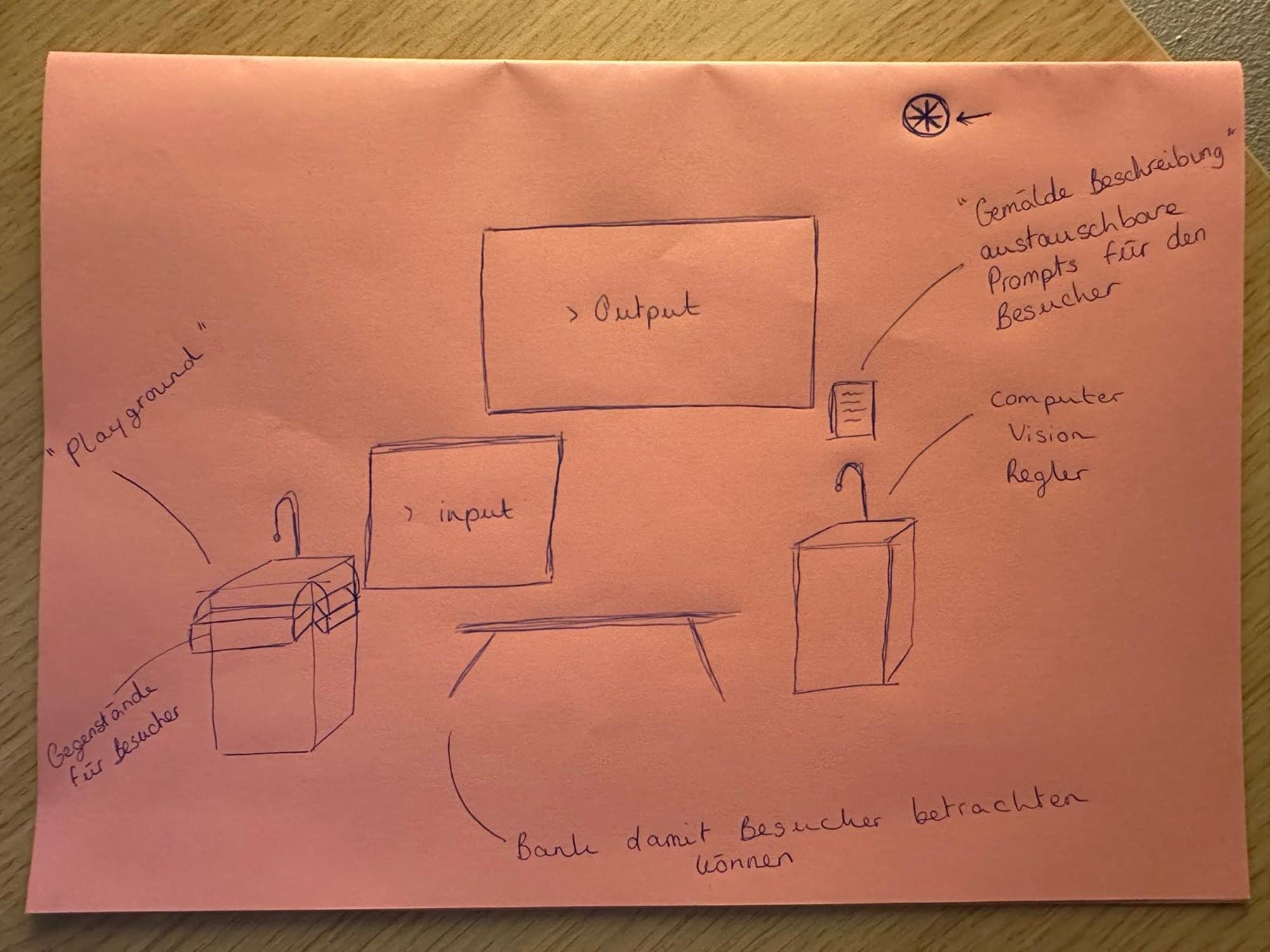
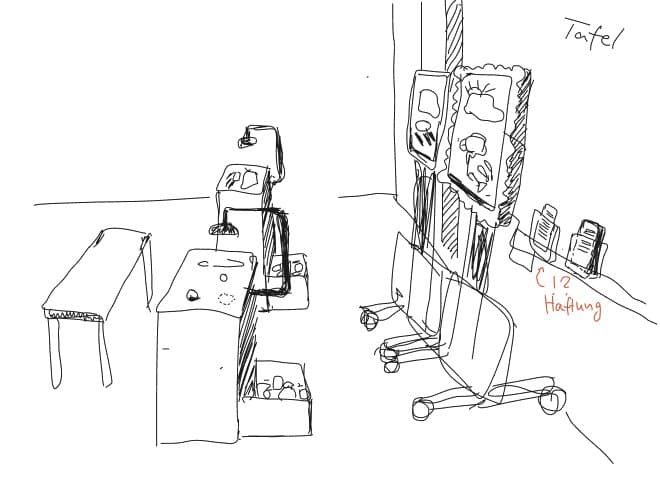
Before building anything physical, we sketched the room: an input screen, the output "painting", a playground of objects, a pedestal with the sliders — and a bench, so others can watch.
Building it
The installation had to survive real visitors, so we built it ourselves: pedestals for the controls, a green wall with framed screens as the "museum", camera arms above the surfaces and all the cabling in between.
In the room
Visitors walk up, move objects and sliders, and watch their painting change in the frame. At the end they scan the QR code and take the artwork home on their phone.
What I'd do next
- Instrument the installation to understand how long people stay and how often pairs form spontaneously.
- Run short exit interviews to learn which moment made the concept "click".
- Package the setup so it can travel to other spaces with minimal configuration.
What I learned
Prototyping cheaply and early was the best decision we made. It let us test the experience before the technology, and it kept the team aligned on what we were actually building. It's the same principle I apply to product work: de-risk the riskiest assumption first.