macOS Portfolio
My previous portfolio: a playable macOS desktop in the browser — and why I replaced it.
- Role
- Designer & Developer
- Team
- Solo
- Context
- Personal project
- Tools
- Next.js, React, TypeScript, TailwindCSS
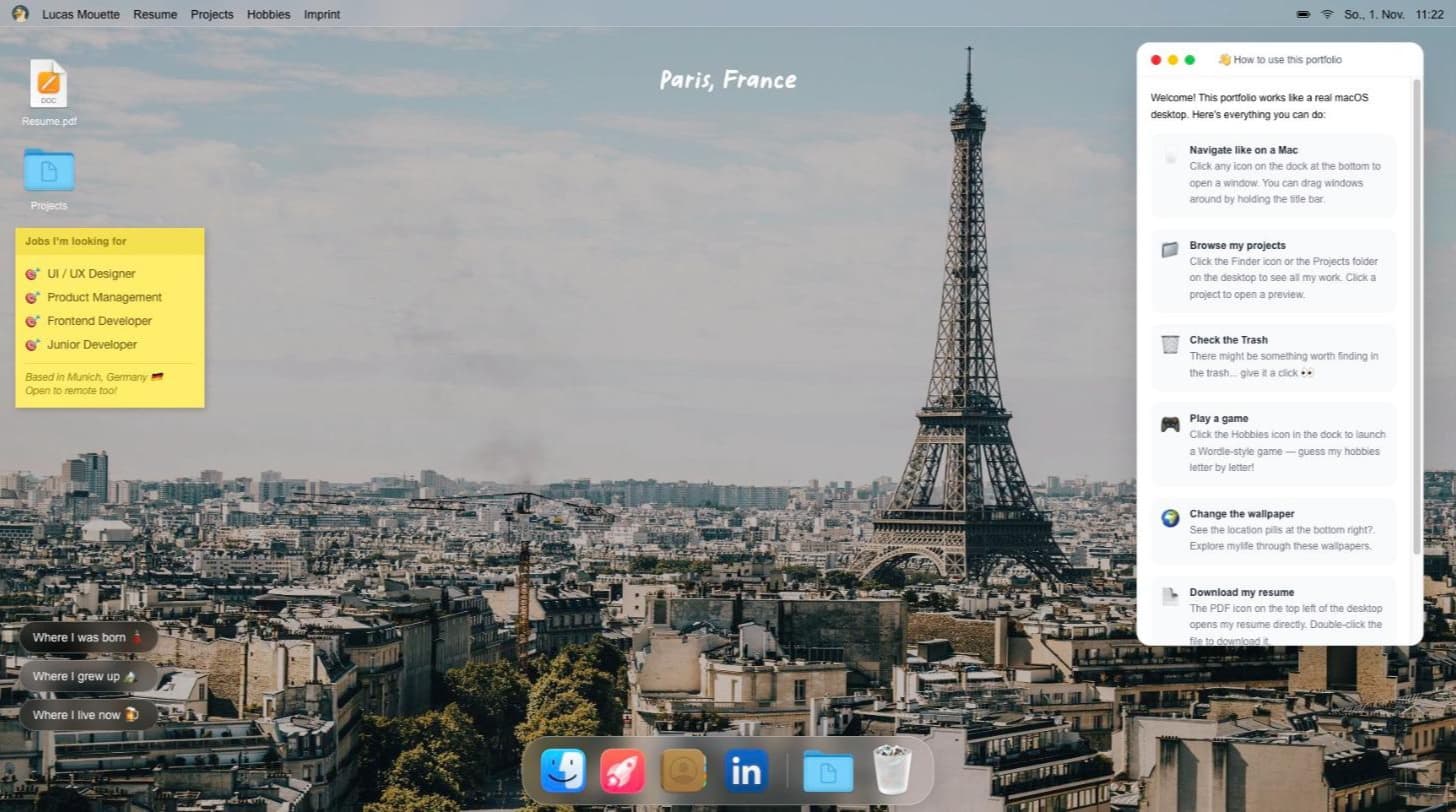
I built my last portfolio as a fully interactive macOS desktop: draggable windows, a dock, a Finder for projects, wallpapers from my life and a hidden Wordle game. People loved playing with it. Recruiters didn't have time to. This case study is about building it — and about killing my own darling.
What I built
A browser-based macOS desktop as a portfolio:
- Windows you can drag, stack and close, with a dock and a menu bar.
- A Finder that holds the projects, plus a preview window per project.
- Wallpapers that tell my story: where I was born, where I grew up, where I live now.
- Easter eggs: a trash can worth checking and a Wordle-style game about my hobbies.
- A mobile fallback, because a desktop metaphor doesn't survive on a phone.
What worked
It was memorable. Friends and peers spent minutes exploring it, and it proved I can take a concept from idea to a polished, deployed front end on my own.
What didn't
Then I looked at it through the eyes of my actual users: recruiters and hiring managers with a couple of minutes per candidate.
- Projects were hidden behind a folder. Nothing on the first screen said what I'd built.
- The project details lived in Figma, outside the site.
- The positioning was fuzzy: four target roles on one sticky note.
What I changed
This site is the result. One clear positioning (product), projects visible within one scroll, every case study structured as context → problem → approach → outcome, and interaction used only where it helps scanning, like the hover previews and filters in the index.
What I learned
The hardest product skill isn't adding the feature. It's admitting that something you love doesn't serve the user, and acting on it.