ATOM
An interactive data visualisation about nuclear weapons — disguised as a 1980s defence terminal and shown on a real CRT.
- Role
- Front-end Developer & Interaction Design
- Team
- Marcia Perez, Paul Wipper
- Context
- Generative Design — HM Munich
- Tools
- Next.js, React, TypeScript, p5.js, Recharts, Google Maps API, FastAPI, Google Earth Engine
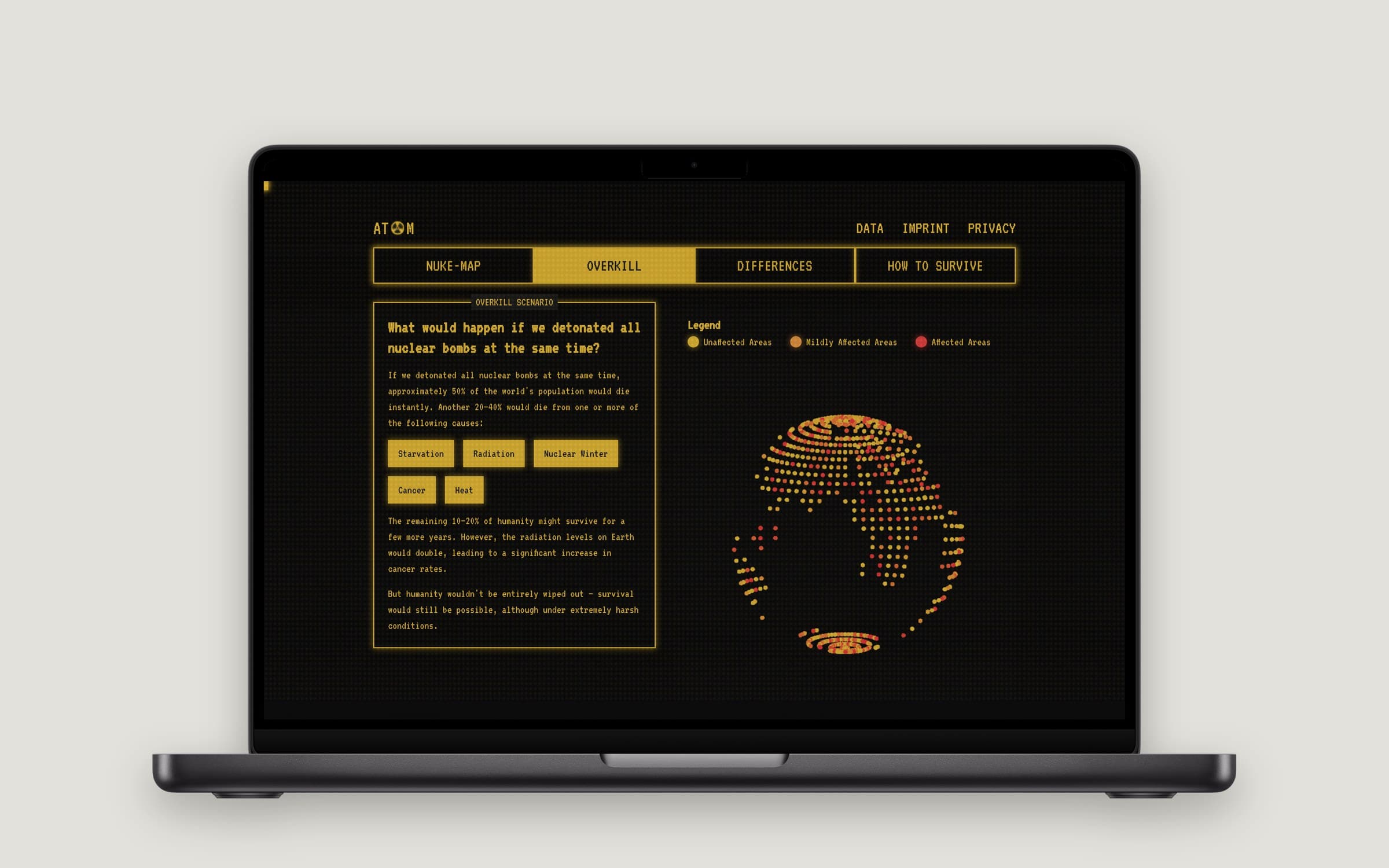
How do you make people feel numbers like “12,000 warheads”? ATOM turns the topic into a terminal you operate yourself: drop a weapon on your own city and see who would be affected, trigger every bomb at once, compare the world's arsenals and learn how to survive. In a team of three I built the nuke map — weapon selection, the drop animation and its onboarding — the boot sequence and the arsenal comparison.
The question
Nuclear weapons are a topic everyone has an opinion on and almost nobody has a feeling for. The numbers are too big to imagine. We wanted a visualisation that doesn't explain the danger but lets you operate it — and leaves you a little uneasy.
A terminal from the Cold War
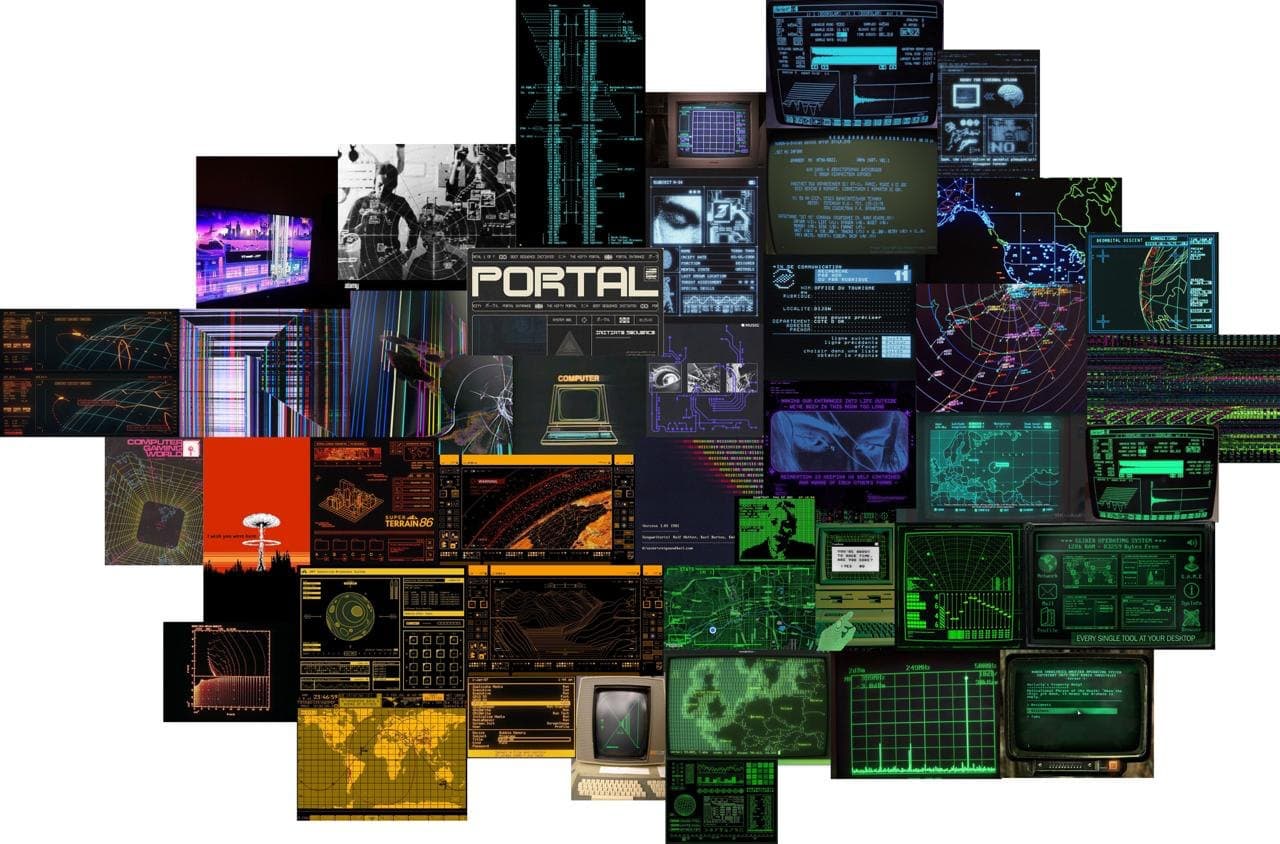
The look came first. Our moodboard collected radar screens, green and amber phosphor, early operating systems and Cold-War control rooms. That gave us the frame for everything else: if the interface feels like a 1980s defence system, the user isn't reading about nuclear weapons — they are sitting at the console.
The experience starts with a boot sequence — system checks, a failed attempt to read your location, a warning about classified access — before the four chapters unlock.
Four chapters
- Nuke map — pick a weapon from a 15-kiloton bomb like Little Boy up to the Tsar Bomba, choose a place and drop it. Fireball, radiation and blast radius appear on the map, and the backend estimates how many people live inside each ring from a global population grid.
- Overkill — what if every warhead exploded at once? A dotted globe shows affected regions and the causes that follow.
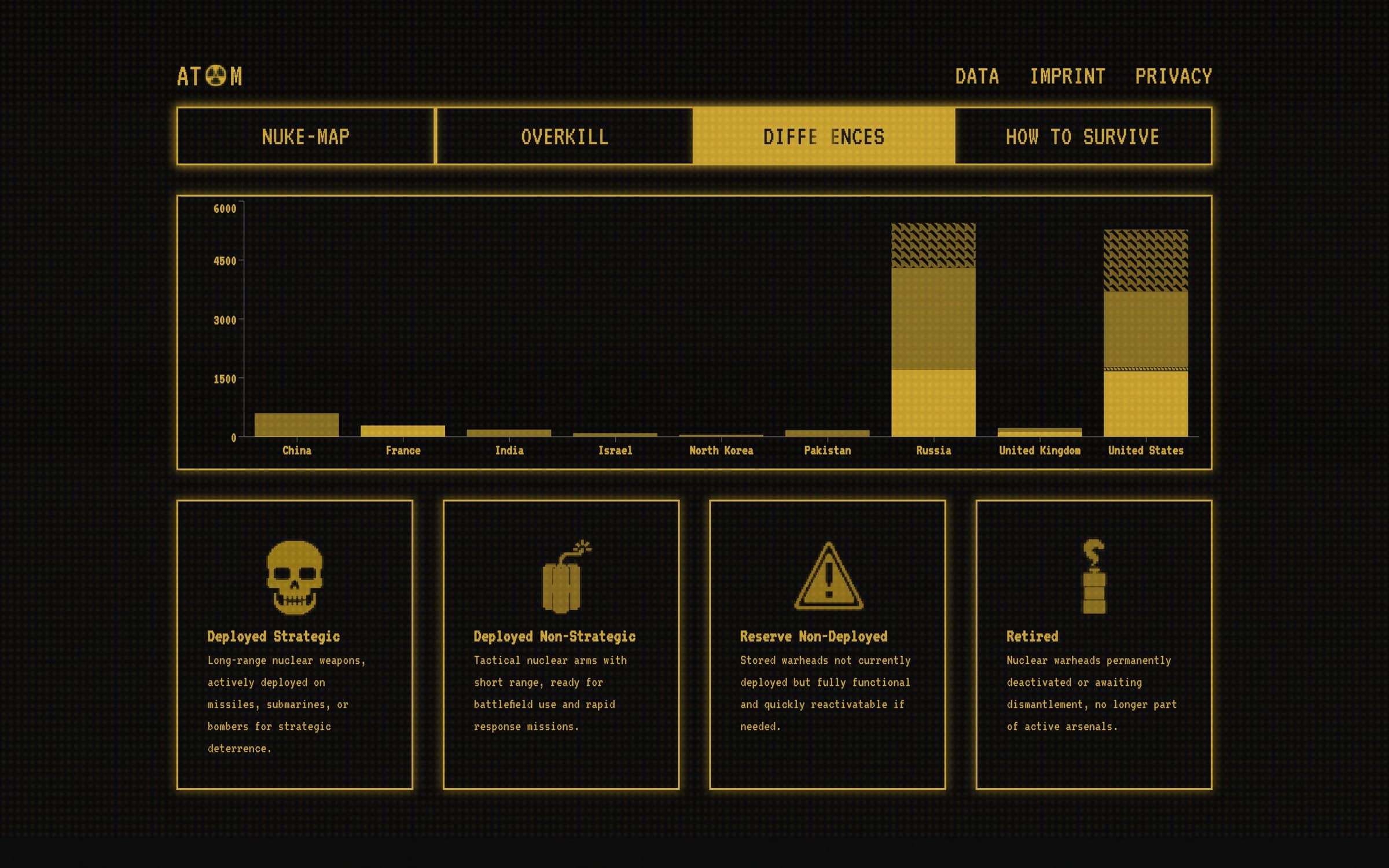
- Differences — which countries hold how many warheads, split into deployed, reserve and retired.
- How to survive — five concrete steps, because the piece shouldn't end in pure fatalism.
What I built
- The nuke map: weapon selection, the bomb-drop animation with radii that scale with the weapon, and the map's onboarding so first-time users know what to do.
- The boot sequence and the start screen that frames the whole experience.
- The Differences chapter: the arsenal comparison as a stacked bar chart.
My teammates built the population backend on Google Earth Engine, the CRT effect, the globe and the survival chapter.
Shown on a real CRT
A retro interface only fully works on retro hardware. We ran ATOM on an old cathode-ray monitor, where the scanlines and glow are real instead of simulated.

What I learned
Data visualisation is as much about framing as about charts. The same numbers in a neutral dashboard would have been informative; inside a defence terminal they became personal. And working in parallel on one codebase — map, globe and backend at the same time — taught me to agree on interfaces early.